Platform
Canvas versioning
How designs are versioned as snapshots for reproducible deployments, rollback, and auditability across environments.
Design intent
Use this lens when implementing Canvas versioning across a fleet: define clear boundaries, make change snapshot-based, and keep operational signals observable.
- Snapshots make deployments repeatable and investigations deterministic
- Progressive rollouts reduce blast radius and speed rollback decisions
- Version-correlation is the fastest path from symptom to diff
What it is
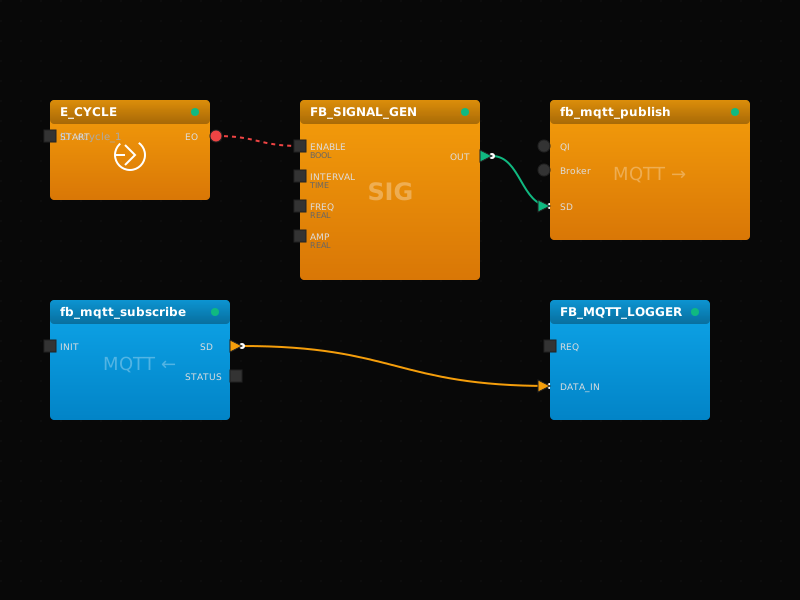
The backend persists configuration and saved designs as versions/snapshots (a point-in-time capture of UI canvas state + assets).
What a snapshot captures
- The control model (function block network and connections)
- Device/resource configuration needed to execute the model
- I/O mapping references and protocol endpoint definitions (as applicable)
- Metadata: timestamps, author, environment, and change notes (conceptually)
Snapshot vs “current draft”
A snapshot is meant to be a stable reference for release/deploy. Drafts can change; snapshots should remain immutable so “deploy X” always means the same thing.
Design constraints
- Snapshots make deployments repeatable and investigations deterministic
- Progressive rollouts reduce blast radius and speed rollback decisions
- Version-correlation is the fastest path from symptom to diff
Architecture at a glance
- Artifacts: draft → snapshot → deployment (immutable references)
- Control plane stores versions and deployment intent; edge reports actual state
- Telemetry/events are correlated to snapshot + deployment identifiers
- This is a UI + backend + edge concern: engineering, operations, and audits all depend on it
Typical workflow
- Iterate in draft → cut a snapshot when ready for field validation
- Promote through environments (dev → staging → production)
- Canary deploy → monitor → expand; keep previous snapshot ready
- After rollout: attach incident notes/diffs for future forensics
System boundary
Treat Canvas versioning as a repeatable interface between engineering intent (design) and runtime reality (deployments + signals). Keep site-specific details configurable so the same design scales across sites.
How it relates to snapshots
Snapshot when you want repeatability: commissioning, releases, audits, or any change that may require rollback. Drafts are for iteration; snapshots are for deployment and forensics.
Example artifact
Release flow (conceptual)
draft: ui-edit-session
snapshot: snap_2025-12-28_15-04
promotion:
  - env: staging
    checks: [health_green, telemetry_ok, acceptance_passed]
  - env: production
    rollout: canary(1) -> batch(10) -> fleet
rollback:
  target_snapshot: snap_2025-12-10_09-22
Why it matters
- Reproduce the exact same deployment across sites
- Roll back safely after a bad change
- Trace changes for compliance and incident response
Reproducibility
When each deployment points to an immutable snapshot, sites don’t drift quietly. Two plants running the same snapshot should behave the same way (given similar environment/hardware constraints).
Auditability
- Answer “who changed what?” without guessing
- Tie incidents to a known deployed configuration
- Create a clean handoff between engineering and operations
Rollback safety
Rollback becomes selecting a known-good snapshot rather than attempting to reverse a series of edits under pressure.
Engineering outcomes
- Snapshots make deployments repeatable and investigations deterministic
- Progressive rollouts reduce blast radius and speed rollback decisions
- Version-correlation is the fastest path from symptom to diff
Quick acceptance checks
- Capture a snapshot before any field change (even small mapping edits)
- Use promotion gates for environments (dev → staging → production)
Common failure modes
- Deploying from mutable drafts (cannot reproduce behavior later)
- Rollback ambiguity (no known-good snapshot selected)
- Promotion bypass (prod changes without staging validation)
- Drift: desired vs actual versions across the fleet
Acceptance tests
- Deploy the same snapshot twice and verify identical behavior/signals
- Roll back to previous snapshot and verify forensics are preserved
- Verify promotion gates are enforced (no direct prod changes)
- Verify the deployed snapshot/version matches intent (no drift)
- Run a canary validation: behavior, health, and telemetry align with expectations
- Verify rollback works and restores known-good behavior
In the platform
- Create immutable snapshots for releases
- Compare and promote between environments
- Tie deployments to version identifiers
Promotion flow
- Draft → snapshot → staging validation → production promotion
- Explicit approvals where required by governance
- Clear “what is running where” visibility across fleet
Diff and change history
- Compare snapshots to understand exactly what changed
- Keep change notes to speed up future investigations
Implementation checklist
- Capture a snapshot before any field change (even small mapping edits)
- Use promotion gates for environments (dev → staging → production)
- Roll out progressively and require health/telemetry acceptance criteria
- Document rollback criteria and keep the previous snapshot selectable
Rollout guidance
- Start with a canary site that matches real conditions
- Use health + telemetry gates; stop expansion on regressions
- Keep rollback to a known-good snapshot fast and rehearsed
Acceptance tests
- Deploy the same snapshot twice and verify identical behavior/signals
- Roll back to previous snapshot and verify forensics are preserved
- Verify promotion gates are enforced (no direct prod changes)
- Verify the deployed snapshot/version matches intent (no drift)
- Run a canary validation: behavior, health, and telemetry align with expectations
- Verify rollback works and restores known-good behavior
Deep dive
Practical next steps
How teams typically apply this in real deployments.
Key takeaways
- Snapshots make deployments repeatable and investigations deterministic
- Progressive rollouts reduce blast radius and speed rollback decisions
- Version-correlation is the fastest path from symptom to diff
Checklist
- Capture a snapshot before any field change (even small mapping edits)
- Use promotion gates for environments (dev → staging → production)
- Roll out progressively and require health/telemetry acceptance criteria
- Document rollback criteria and keep the previous snapshot selectable
Next steps
Related topics
Deep dive
Common questions
Quick answers that help during commissioning and operations.
Snapshot vs “current draft”: when should we snapshot?
Snapshot when you want repeatability: commissioning, releases, audits, or any change that may require rollback. Drafts are for iteration; snapshots are for deployment and forensics.
How do snapshots reduce incident time?
They let you answer “what exactly is running?” and correlate telemetry/events to a single artifact. That makes comparisons and rollback deterministic.
What is the safest rollout pattern?
Create snapshot → canary deploy → monitor → expand. If health regresses, roll back to the previous snapshot and investigate using correlated diagnostics.