Platform
Telemetry
How the cloud layer stores, indexes, and serves telemetry so it can power dashboards, diagnostics, and automation workflows.
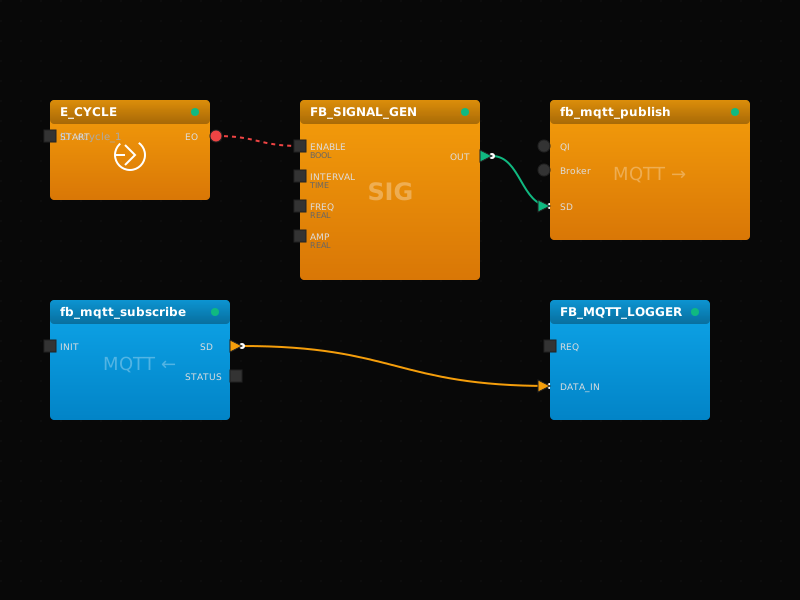
Design intent
Use this lens when implementing Telemetry across a fleet: define clear boundaries, make change snapshot-based, and keep operational signals observable.
- Normalization at ingest is what makes queries reliable
- Cardinality control keeps dashboards fast and affordable
- Out-of-order handling is required (clock skew/batching)
What it is
The cloud telemetry layer is where edge data becomes usable: ingestion, storage, correlation to deployments, and access for UI and integrations.
Ingestion (conceptual)
- Authenticate the edge source and validate payload shape
- Normalize metadata (device/resource/app/deployment IDs)
- Store telemetry and events in query-friendly form for dashboards
Design constraints
- Normalization at ingest is what makes queries reliable
- Cardinality control keeps dashboards fast and affordable
- Out-of-order handling is required (clock skew/batching)
Architecture at a glance
- Edge emits health/events/telemetry with stable IDs (device/resource/app/deploy)
- Store-and-forward buffers protect evidence during outages
- Backend correlates timelines to snapshots so debugging becomes “find the diff”
- This is a UI + backend + edge concern: visibility is required to scale safely
Typical workflow
- Define the minimal signal set: deployment state + runtime health + adapter health + telemetry
- Create dashboards that answer: what is running? is it healthy? is it correct?
- Use correlated timelines (events + telemetry + rollout state) to debug
- Codify alerts for restart bursts, buffer saturation, flapping, and drift
System boundary
Treat Telemetry as a repeatable interface between engineering intent (design) and runtime reality (deployments + signals). Keep site-specific details configurable so the same design scales across sites.
Example artifact
Event timeline (conceptual)
t=00:00 deploy:start snapshot=snap_... device=edge-12
t=00:12 runtime:healthy resource=forte-1
t=00:20 adapter:connected protocol=modbus endpoint=pump-1
t=01:10 telemetry:ok points=128 gap=0s
t=03:40 alert:staleness point=pump_speed > 5s
Why it matters
- Turns raw signals into operational insight
- Enables fleet-wide analytics and incident investigation
- Provides the foundation for health-based rollout control
Engineering outcomes
- Normalization at ingest is what makes queries reliable
- Cardinality control keeps dashboards fast and affordable
- Out-of-order handling is required (clock skew/batching)
Quick acceptance checks
- Normalize identifiers (device/resource/app/deployment) at ingest
- Define query patterns: per-site timelines and rollout comparisons
What to monitor
High-cardinality keys, inconsistent identifiers, and out-of-order timestamps. Normalize early and keep joining keys stable.
Common failure modes
- Telemetry gaps from buffer saturation or upstream auth/network issues
- Clock skew and batching causing out-of-order timelines
- “Everything is green” while behavior is wrong (mapping/data-quality issue)
- Over-alerting: noisy signals that hide real regressions
Acceptance tests
- Verify the deployed snapshot/version matches intent (no drift)
- Run a canary validation: behavior, health, and telemetry align with expectations
- Verify rollback works and restores known-good behavior
In the platform
- Ingestion pipelines from edge to cloud
- Queryable history tied to devices and versions
- Dashboards and alerts for operations
Query patterns
- Per-site timelines: “what happened on this device over the last hour?”
- Cross-fleet comparisons: “did the rollout change error rates?”
- Version correlation: “which snapshot introduced this symptom?”
Failure modes
- High-cardinality telemetry that becomes slow/expensive to query
- Inconsistent identifiers that prevent reliable joins/correlation
- Out-of-order events due to clock skew or batching
Implementation checklist
- Normalize identifiers (device/resource/app/deployment) at ingest
- Define query patterns: per-site timelines and rollout comparisons
- Control cardinality and retention so queries stay fast
- Ensure out-of-order events are handled (clock skew/batching)
Rollout guidance
- Start with a canary site that matches real conditions
- Use health + telemetry gates; stop expansion on regressions
- Keep rollback to a known-good snapshot fast and rehearsed
Acceptance tests
- Verify the deployed snapshot/version matches intent (no drift)
- Run a canary validation: behavior, health, and telemetry align with expectations
- Verify rollback works and restores known-good behavior
Deep dive
Practical next steps
How teams typically apply this in real deployments.
Key takeaways
- Normalization at ingest is what makes queries reliable
- Cardinality control keeps dashboards fast and affordable
- Out-of-order handling is required (clock skew/batching)
Checklist
- Normalize identifiers (device/resource/app/deployment) at ingest
- Define query patterns: per-site timelines and rollout comparisons
- Control cardinality and retention so queries stay fast
- Ensure out-of-order events are handled (clock skew/batching)
Next steps
Related topics
Deep dive
Common questions
Quick answers that help during commissioning and operations.
What makes telemetry hard to query?
High-cardinality keys, inconsistent identifiers, and out-of-order timestamps. Normalize early and keep joining keys stable.
How do we correlate symptoms to releases?
Always attach snapshot/deployment IDs at ingest so dashboards can slice by version and rollout stage.
What are the first dashboards to build?
Rollout health by snapshot, per-site event timeline, and adapter/connectivity error rates.